Your desktop,
the way you want it.
Gailan hosts widgets on your Mac's desktop. Infinitely customizable and open source.
Features
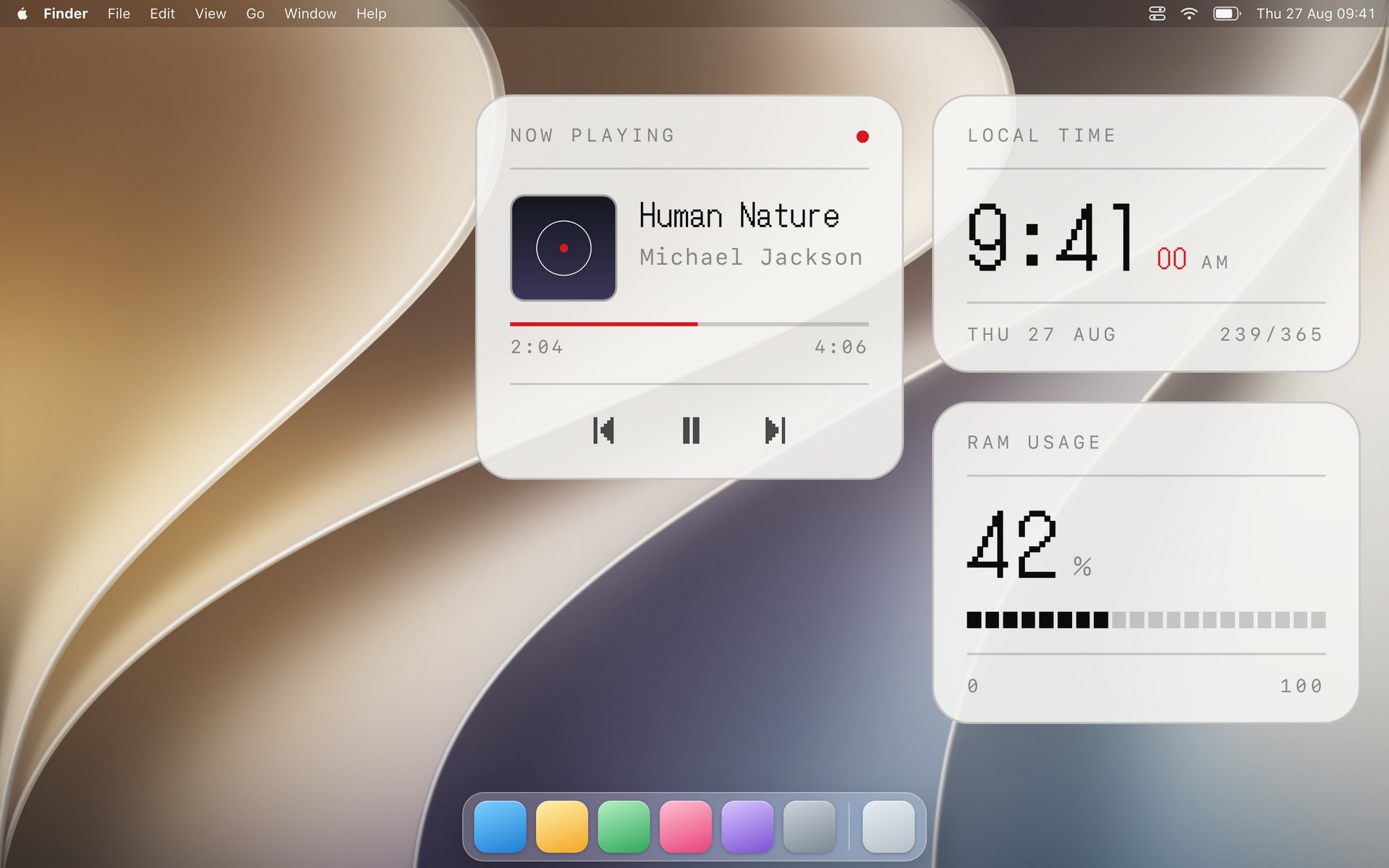
Gailan puts small, useful things on your wallpaper: the time, the weather, what your machine is doing, whatever you care to watch. Then it gets out of the way of how you want them. What appears, where it sits, what it shows, how big it is, which screen it appears on, all of it is yours to change, and every widget is a file you can open and rewrite.
Change nearly all of it
A widget can offer its own settings, and Gailan turns them into real controls: a switch, a menu, a number, a color picker. Pick the clock's face, set how often something checks, choose the color it draws in, without opening a file. Move a widget where you want it, put it on one screen or all of them, turn it off without deleting it.
Anything you want to see
The weather, your calendar, how full the disk is, what the trains are doing. A widget is a small thing that shows you something, and you decide which ones you keep. If nothing does quite what you want, the ones you have are files you can change.
Behind your windows, or in front
By default widgets sit on the wallpaper, waiting for you to clear your screen. If you would rather one stayed in front of everything, there is a switch for that. You pick which screens each widget appears on, so the one you want in the corner of the big monitor stays there.
It fits right into your Mac
Widgets can ask the system to frost the wallpaper behind them, and they follow light and dark as you switch, so they belong on the desktop rather than sitting on top of it.
It answers to Shortcuts
Gailan hands its actions to the Shortcuts app. Refresh one widget or all of them, reload one, show or hide one, send it behind your windows or in front, choose its screens, change one of its own settings, open its file, keep every widget in front, or draw them light or dark. Put those in a shortcut with anything else your Mac can do. Fetch the forecast and refresh the weather widget so it is current before you look at it. Hide the music widget and show the calendar when you sit down to work, then swap them back at six. Switch the clock to its analog face for the evening. Ask Siri to refresh your widgets, or drive the same things from Automator and AppleScript if that is more your speed.
As private or as connected as you want
Gailan asks you for nothing: no account, no sign-in, and nothing leaves your Mac of its own accord. Past that it is your call. Plenty of widgets only ever read what is already here, the time, the battery, how full the disk is. One you write can reach anything you hand it the keys to, so a widget that signs in to your broker and shows what your portfolio did today is a widget you can have, as long as they publish an API for it. Either way the keys sit in your keychain and the request goes straight out from your machine.
Developing
A widget is a folder. One file in it does the work, and the rest are there to describe it: what it is called, what it can be told to change, what it looks like. You write down what to run, how often, and what to show. Save the file and it is on your desktop.
import { styled } from "gailan"

export const command = "date '+%H:%M'"
export const refreshFrequency = 10000

const Time = styled("div")`
  font-variant-numeric: tabular-nums;
`

export const render = ({ output }) => (
  <Time>{output.trim()}</Time>
)
Three things to fill in
A command is anything you could type into Terminal. Gailan runs it for you and hands you whatever it printed. The example asks the Mac for the time.
How often is a number in milliseconds. A clock wants every second; the weather is happy every ten minutes.
What to show is the shape of it, written the way a web page is written. If you have ever changed a page's colors or spacing, this is the same work.
You set nothing up and compile nothing. Gailan watches the folder, and when you save, the widget on your desktop changes. If you get something wrong, it says what and points at the line.
Anatomy of a widget
This is the clock from the hub. Only the first file is the widget; the others say what it is called, what you are allowed to change, and what it looks like. A widget of your own needs no more than that first file.
- index.tsx13 KBThe widget itself: what to run, and what to draw with it
- widget.json1 KBIts name, its version, and the settings it offers you
- README.md1 KBWhat it does, for anyone who opens the folder
- preview.jpg123 KBThe picture GailanHub shows in its gallery
- settings.json1 KBWritten by Gailan when you change one of its settings
Widget Hub
A gallery of widgets other people have made. Each one shows you what it looks like and says what it does, and downloading it gives you a folder to drop in. Nothing to sign up for, and you can read every one before you run it.